Products — DashEase
DashEase turns QuickBooks data into dashboards owners can actually use.
DashEase is Orivian's reporting product for business owners who want clearer visibility from QuickBooks without living in spreadsheets or waiting on manual report prep.
Who DashEase is for
Built for owners who need clearer numbers, faster.
DashEase is designed for the people who run the business — not the accountants who close the books.
Business owners using QuickBooks
You run your finances through QuickBooks but still struggle to get a clear picture of where the business stands.
Operators who need simple financial visibility
You need to make decisions quickly, but the data you need is buried in reports that take too long to read.
Teams tired of spreadsheet exports
Every reporting cycle starts with exporting data to a spreadsheet and formatting it manually. That cycle should not exist.
Businesses that want recurring reporting without manual cleanup
You want a report that runs itself and shows up on schedule — not one that requires preparation every time.
Key features
What DashEase gives you.
Every feature is built around getting the right numbers in front of the right person, without manual work in the middle.
QuickBooks-connected reporting
DashEase connects directly to QuickBooks so your dashboards reflect real data without manual imports or exports.
Revenue dashboards
See revenue trends at a glance — by period, category, or customer — without pulling reports or doing manual math.
Expense visibility
Understand where money is going by category so you can make faster decisions about costs and spending.
Cash flow snapshots
Know where cash stands right now, not after running three reports and reconciling them manually.
Owner-friendly charts
Charts and views designed for business owners, not accountants. Clear labels, no jargon, no translation required.
Reusable reporting views
Save the views that matter most and return to them instantly. No rebuilding the same report every time.
See DashEase
What you get once QuickBooks is connected.
Real screens from the product — not mockups.
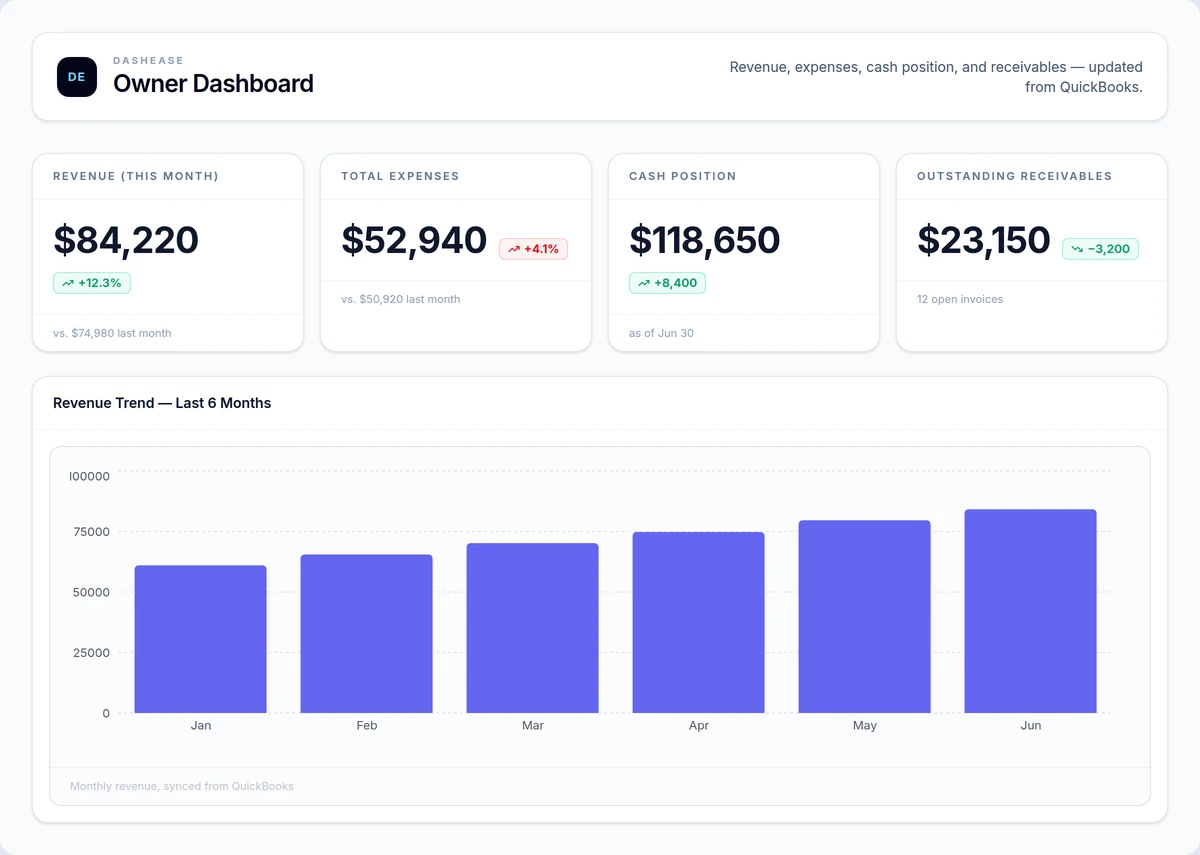
Owner dashboard
Revenue, expenses, cash position, and receivables in one view — the dashboard most owners open first.
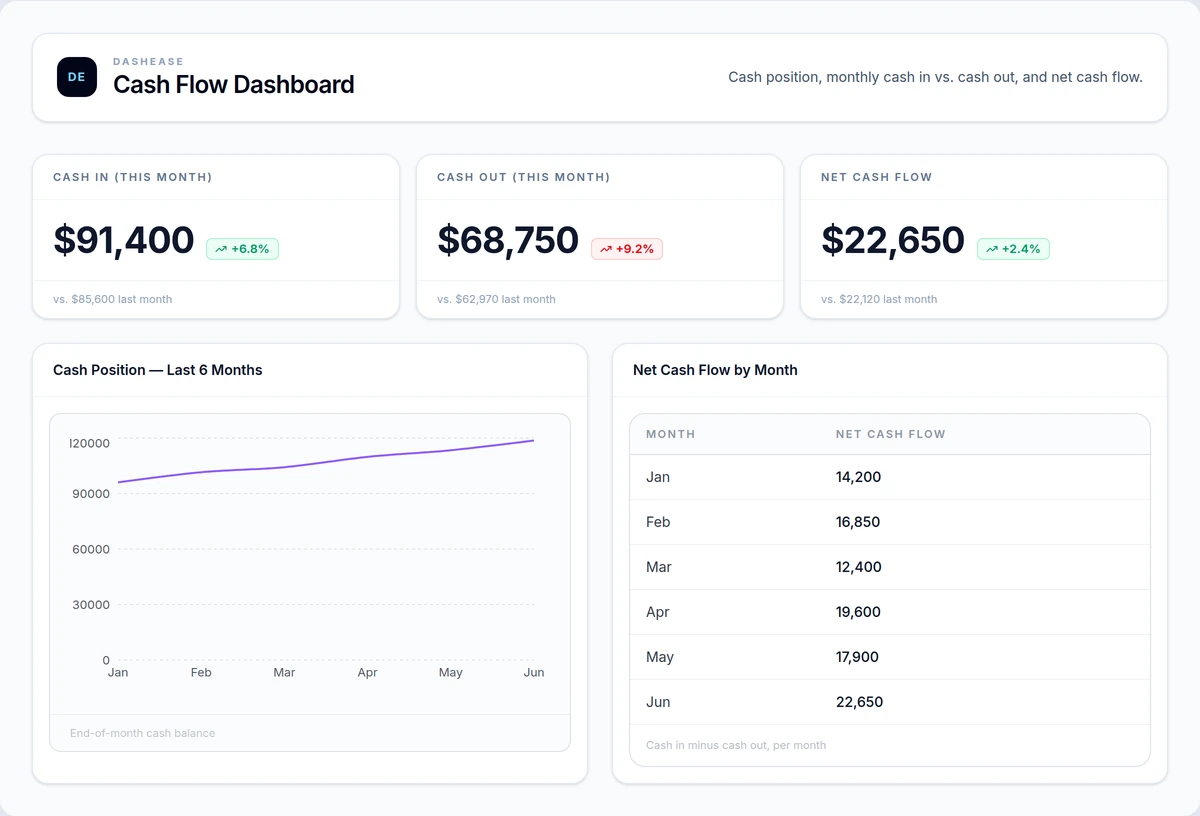
Cash flow dashboard
Cash position trend and net cash flow by month, synced automatically from QuickBooks.
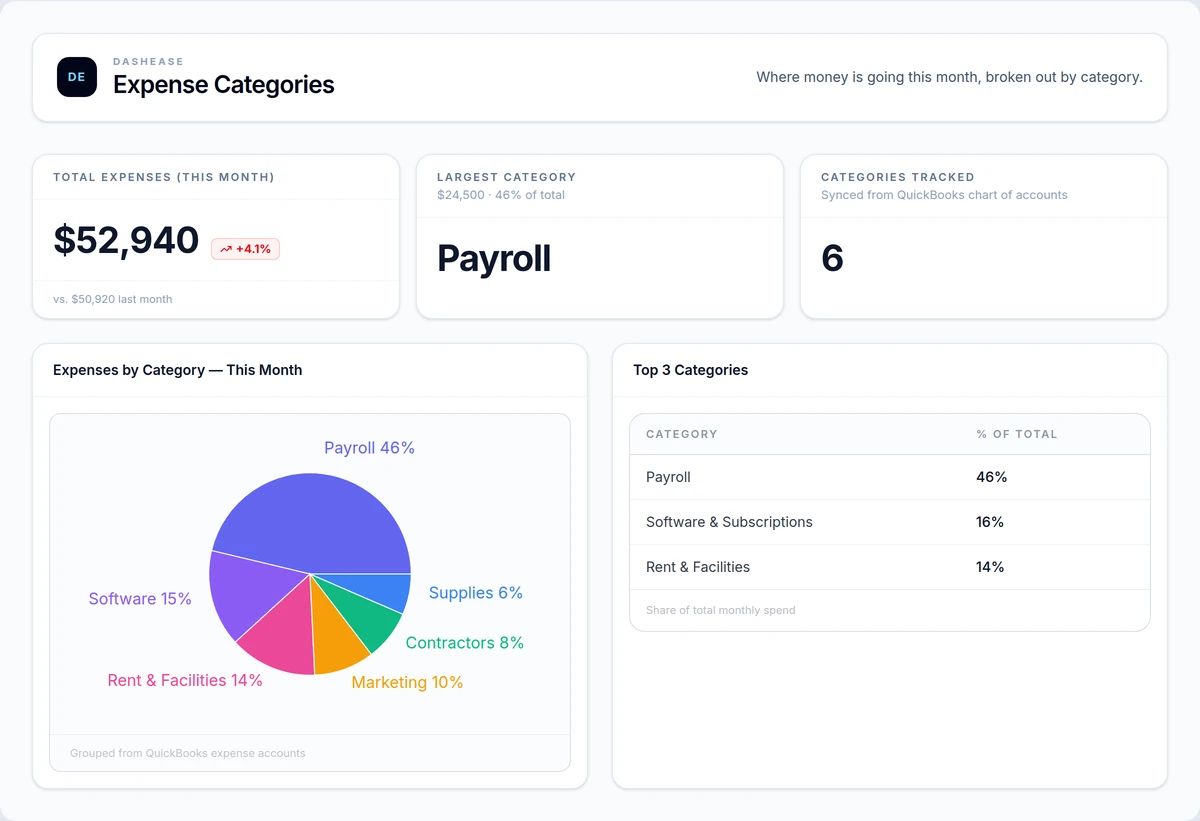
Expense category dashboard
Spend broken out by category, grouped straight from your QuickBooks chart of accounts.
How it fits into Orivian
DashEase is part of the broader Orivian suite.
Built on Orivian's reporting work
DashEase grew out of the same reporting systems Orivian builds for clients. It is the productized version of what works.
Pairs with custom software and automation
For businesses that need more than dashboards — custom builds and automation can extend what DashEase starts.
A starting point for better financial visibility
DashEase gives you a clean baseline. From there, Orivian can build deeper reporting, alerts, and operational tools.
Prefer a done-for-you QuickBooks dashboard? Orivian also builds QuickBooks dashboards as a consulting engagement — with examples, an FAQ, and what QuickBooks alone can’t show you.
Pricing
Free to start. Upgrade when you need more.
The Starter plan is free — no card required. Pro and Business unlock QuickBooks integration, ML-powered analysis, and team seats.
Starter
Connect your data and start seeing it clearly. No card required.
- 5 datasets
- 10 charts
- 3 dashboards
- CSV & Excel upload
- Bar, line, and pie charts
- Shareable dashboard links
- Community support
Pro
QuickBooks-connected, ML-powered analysis for teams that need to go deeper.
- 50 datasets
- 100 charts
- 20 dashboards
- Everything in Starter
- QuickBooks Online connection
- Anomaly detection
- Trend forecasting
- K-means clustering segmentation
- Saved analysis runs
- Priority email support
Business
Full access, team seats, and scheduled reporting for data-driven organizations.
- Unlimited datasets & charts
- Unlimited dashboards
- Everything in Pro
- Scheduled analysis refresh
- Up to 5 team seats
- Custom reporting workflows
- Dedicated Slack channel
- Quarterly reporting reviews
- Priority SLA support
Launch pricing. Rates may increase as the product matures.
Free tools
Plan your QuickBooks dashboard.
Use these free worksheets to define what owners need to see before building or configuring reporting.
Reporting
QuickBooks Dashboard Planner
A planning worksheet for defining the owner-level QuickBooks dashboards and reporting views your business actually needs.
Use this tool →
Reporting
Dashboard Requirements Worksheet
A worksheet for defining the audience, metrics, data sources, filters, alerts, and success criteria before building a dashboard.
Use this tool →
Start with a free Opportunity Map.
We will look at your current reporting setup and show you where DashEase — or a custom reporting system — creates the most value. No commitment required.